LEARNING / NVIS DISPLAY ENGINEERING
NVIS display compatibility.
Design for the eye and the goggles.
Keep cockpit information readable while protecting the night vision system’s view of the outside scene. Compare filtering approaches, define the required Type and Class, and verify the complete display in its intended installation.
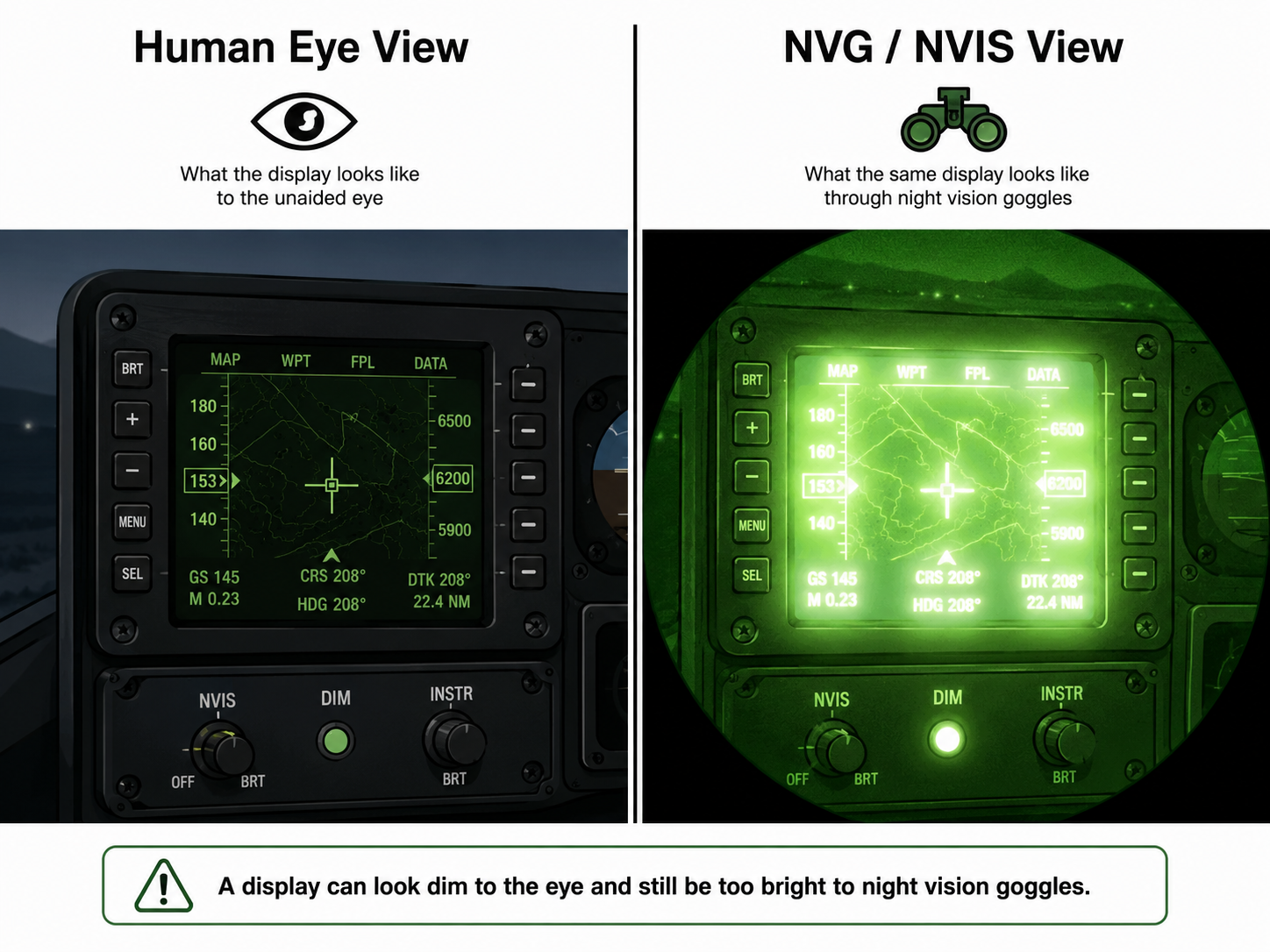
Dim to the eye can still be bright to NVIS.
Night Vision Imaging Systems (NVIS) amplify low-light scenes. Their spectral sensitivity differs from the human eye: red and near-infrared energy that contributes little to perceived brightness can interfere with the intensified view.
Unwanted display emissions and cockpit reflections can produce bright artifacts or reduce outside-scene contrast. A luminance reading in cd/m² (nits) describes visible brightness; it does not establish NVIS compatibility. The applicable NVIS-weighted radiance must also be evaluated from the emitted spectrum.
Cockpit instruments are commonly read with unaided vision while the goggles support the outside view. Specify the intended viewing method and crew eye positions rather than assuming the display will be read through the goggles.
Define Type and Class before choosing a filter.
MIL-STD-3009 addresses aircraft lighting emissions and NVIS compatibility. Type describes the NVIS image presentation; Class describes spectral compatibility. They are separate designations, not quality grades or LCD panel types.
Type: image presentation
Type I: lighting compatible with direct-view image NVIS using Generation III image intensifier tubes.
Type II: lighting compatible with projected-image NVIS using Generation III image intensifier tubes.
“Direct view” describes the NVIS architecture; it does not guarantee that a particular LCD is readable through the goggles.
Class: spectral characteristics
Class A: associated with 625 nm minus-blue objective filters. Its sensitivity overlaps red cockpit lighting.
Class B: associated with 665 nm minus-blue objective filters. Properly filtered NVIS Red and qualifying color displays can be compatible.
Class C: incorporates a green transmission feature for compatible holographic HUD viewing. Confirm the specified goggle and applicable requirements.
The 625 nm and 665 nm designations describe the goggle objective filters. They are not a standalone cutoff specification for the display filter. Use the prescribed spectral weighting, color requirements and limits for the applicable equipment.
See the detailed Type/Class and display specification checklist →Choose where to control the spectrum.
For an LCD, source spectrum, filter transmission, polarizers and RGB color filters act together. Compare the finished assembly’s useful visible output, NVIS-weighted radiance, color, uniformity, power and temperature.
LED-level filtering
Filter individual emitters or use a dedicated filtered night channel alongside the day backlight.
Design focus: preserve daylight output while managing channel mixing, dimming, heat and spatial uniformity. Verify that the day channel is off in NVIS mode, including leakage and mode transitions.
Filter behind the LCD
A full-area filter sits between the backlight and LCD, controlling the illumination spectrum before it passes through the panel.
Design focus: available space, thermal loading, uniformity and output spectrum. Unfiltered bezel lights or light paths outside the filter still need attention.
Filter in front of the LCD
A full-area filter becomes part of the front optical stack, filtering the display’s emitted light.
Design focus: visible transmission, color shifts, surface reflections, bonding and viewing angle. Its daylight penalty depends on spectral matching and the complete stack.
Match LED emission to the LCD’s RGB filters · Explore LEDs and backlight rails
Design daylight and night modes together.
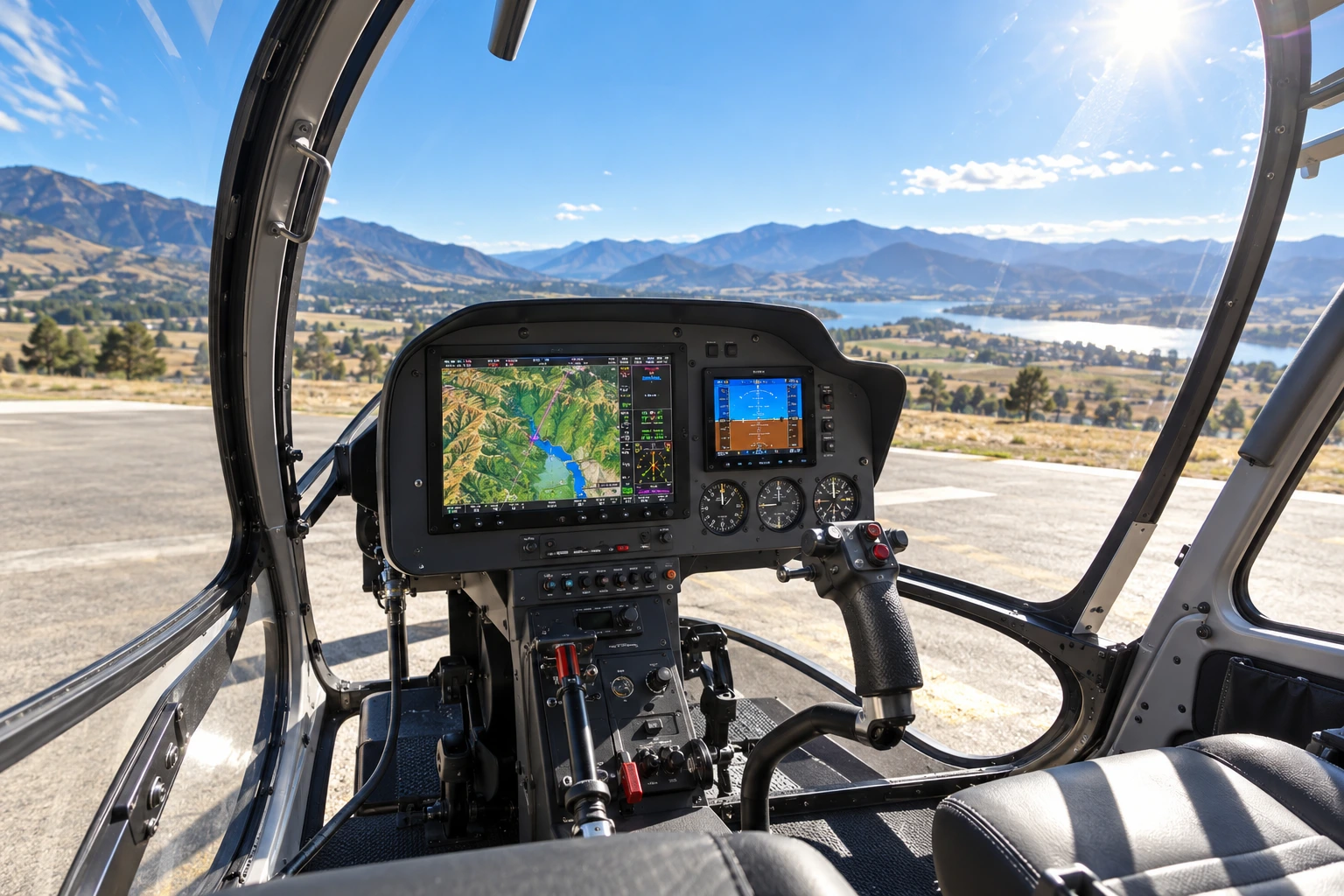
In a sunlit cockpit, useful contrast depends on display luminance and reflected ambient light. AR coatings and optical bonding can reduce reflections; increasing backlight power alone may not solve the problem.
At night, define a stable low-end dimming range, readable colors and symbols, acceptable uniformity and the required spectral limits. Check representative white, primary colors, warning indications, startup screens and operating modes under the applicable test conditions.
Filtering can change warning-color appearance. Confirm color discrimination and readability at the intended crew positions, and evaluate canopy and windshield reflections as part of installation testing.
Understand high-ambient contrast ratio →
Compare optical bonding, AR and brighter backlights →
Verify components, assembly and installation.
1. Agree on the requirements
Record the standard issue, applicable clauses, Type/Class, goggle configuration, test setup, operating conditions and acceptance limits. Define day and night targets separately.
2. Measure the display
Use calibrated instrumentation with suitable wavelength coverage and sensitivity. Evaluate spectral radiance, applicable NVIS-weighted radiance, chromaticity, luminance, uniformity and light leaks at the specified settings.
3. Evaluate the installation
Assess daylight readability, night unaided readability and night aided compatibility. Include surrounding lighting, crew positions, controls, reflections and outside-scene visibility with the intended goggles.
A visual check through goggles is useful for finding leaks and reflections, but does not replace the required radiometric measurements. Display test results also do not constitute aircraft installation or operational approval. Define that evidence with the responsible approval authority.
Include thermal and electromagnetic requirements.
Heaters can support cold operation; their placement depends on the thermal and mechanical design. Transparent conductive coatings or blackened meshes may support EMI shielding when grounding, edge termination and enclosure interfaces are properly engineered. Account for their optical effects in the finished stack.
For airborne equipment, record the applicable RTCA DO-160 issue, sections and categories. Environmental qualification and NVIS optical compatibility address different requirements; neither substitutes for the other.
Heaters, conductive coatings and shielding →
Environmental qualification and evidence checklist →
Bring these details to the design review.
- Platform and goggles: intended installation, goggle model/configuration, NVIS Type and Class, viewing method and approval requirements.
- Display configuration: panel, backlight, drivers, filters, cover glass, touch, bonding, heater, shield and bezel lighting.
- Performance targets: daylight contrast and luminance, night dimming, color recognition, viewing angles and applicable radiance limits.
- Operating envelope: temperature, power, mechanical constraints, environmental categories and required operating modes.
- Evidence and change control: test methods, acceptance criteria and configuration records. Assess whether changes to LEDs, filters, firmware, coatings or assembly require re-verification.
Continue the engineering review.
Specifying dual-mode NVIS displays
Turn the application into requirements and a verification plan.
LCD backlight spectrum and RGB filters
Understand the spectral match before adding filtering.
IR filters and transmission spectra
Compare materials, thickness and red-edge tradeoffs.
Optical bonding, AR or a brighter backlight?
Compare reflection reduction and emitted luminance.
High-ambient contrast ratio
Relate ambient reflections to usable display contrast.
Square displays for avionics and simulation
Explore display formats for the proposed system.
Technical basis: MIL-STD-3009 (2 February 2001), §§1.1–1.3 and 3.1, applicable performance/test provisions; administrative notice (4 October 2002); validation notice (4 April 2024). DLA lists the standard as active at this review. FAA rotorcraft NVIS daylight, night-unaided and night-aided evaluation checklists inform the installation discussion. Confirm the documents and tailored requirements governing your project.
Related specification guidance and references · More display engineering articles and tools