Chapter 1 - Introduction
Chapter 1 of 7 | FPD.DEV | Development edition A-P15
Introduction
Display capability and qualification evidence; Measurable acceptance criteria; The complete assembly and its installation. Use the reading-page controls below the presentation for explanations and worked practice.
Open chapter with slide navigation and reading-page controls | Download chapter slides PDF (19 pages)
Slide narration transcript
Slide 1: Introduction
FPD.DEV — The Future of Display and Systems Development.
Welcome to Chapter 1. I am Diggy Breiling. I began repairing displays and LCDs in 1992, while running a laptop computer repair depot in Austin, Texas. In 1994, I began enhancing commercial off-the-shelf LCDs by optically bonding optical enhancement filters, EMI shields and transparent heaters to them. Since 1994, I have built display products that meet or exceed applicable DO-160, MIL-STD-810 and other harsh-environment standards and application-specific requirements. This course connects that practical experience with the display, its requirements and the evidence needed for qualification.
Slide 2: Course scope and intended outcome
Welcome. In this course, we will build a qualification plan for an aircraft display, starting with the panel and ending with its installed use. We will look at the environmental exposure, the display behavior we need to preserve, and the evidence that connects them. The examples use DO-160G. Your program still needs its adopted edition, agreed categories and complete procedures. Keep a working qualification matrix beside you as we go.
This course is a living document, and the standards it draws on evolve too. We update the lessons as standards, engineering practice and our experience develop. Enrolled learners will typically receive updates when chapters are revised. For your own project, keep using the agreed qualification baseline until a change has been reviewed and adopted.
Slide 3: Enhancing a COTS display
We often enhance commercial off-the-shelf displays beyond the original manufacturer specifications in selected areas. These can include usable temperature range, durability, contrast, brightness, spectral performance and touch capabilities. There are limits and tradeoffs. Added brightness can increase heat, and filters can reduce light transmission. Heaters and cooling can extend the system operating environment while keeping the LCD within its own limits. Any claimed extension needs evidence for the modified assembly, its operating conditions and service life. Enhancement does not automatically extend the original supplier rating.
Slide 4: The qualification plan you will build
The course has a concrete output: a plan another engineer can review. Start with the equipment boundary and installation assumptions. Then build a matrix that connects each requirement to a method, acceptance criteria and evidence. Keep open inputs visible. We will use the same bonded touch display throughout, then reconsider it for a helicopter. The narrated deck introduces the decisions. The reading, worksheets and capstone provide the deeper study and practice.
Slide 5: The running qualification matrix
We are bringing the matrix forward so it can organize the entire course. Start one row for each environmental section, then expand rows for distinct ports, axes or subtests. Keep the reason an exposure applies separate from whether compliance has been demonstrated. Category X records an undemonstrated condition. It does not establish that the exposure is irrelevant. When an input is missing, write unresolved and name the person who must supply it. We will complete this matrix later.
Slide 6: References and further study
Use the publisher's issued document and the program's agreed baseline. This course uses DO-160G section numbering. A forecast publication date for a later revision is not evidence that it has been issued or adopted by your contract. The reference shelf includes environmental qualification guidance, transport-airplane display guidance, HIRF and lightning guidance, each with its own scope. Read the complete applicable methods before writing test instructions. The table excerpts in this deck support specific commentary and do not replace a controlled copy of the standard.
Slide 7: Component, system and installed display
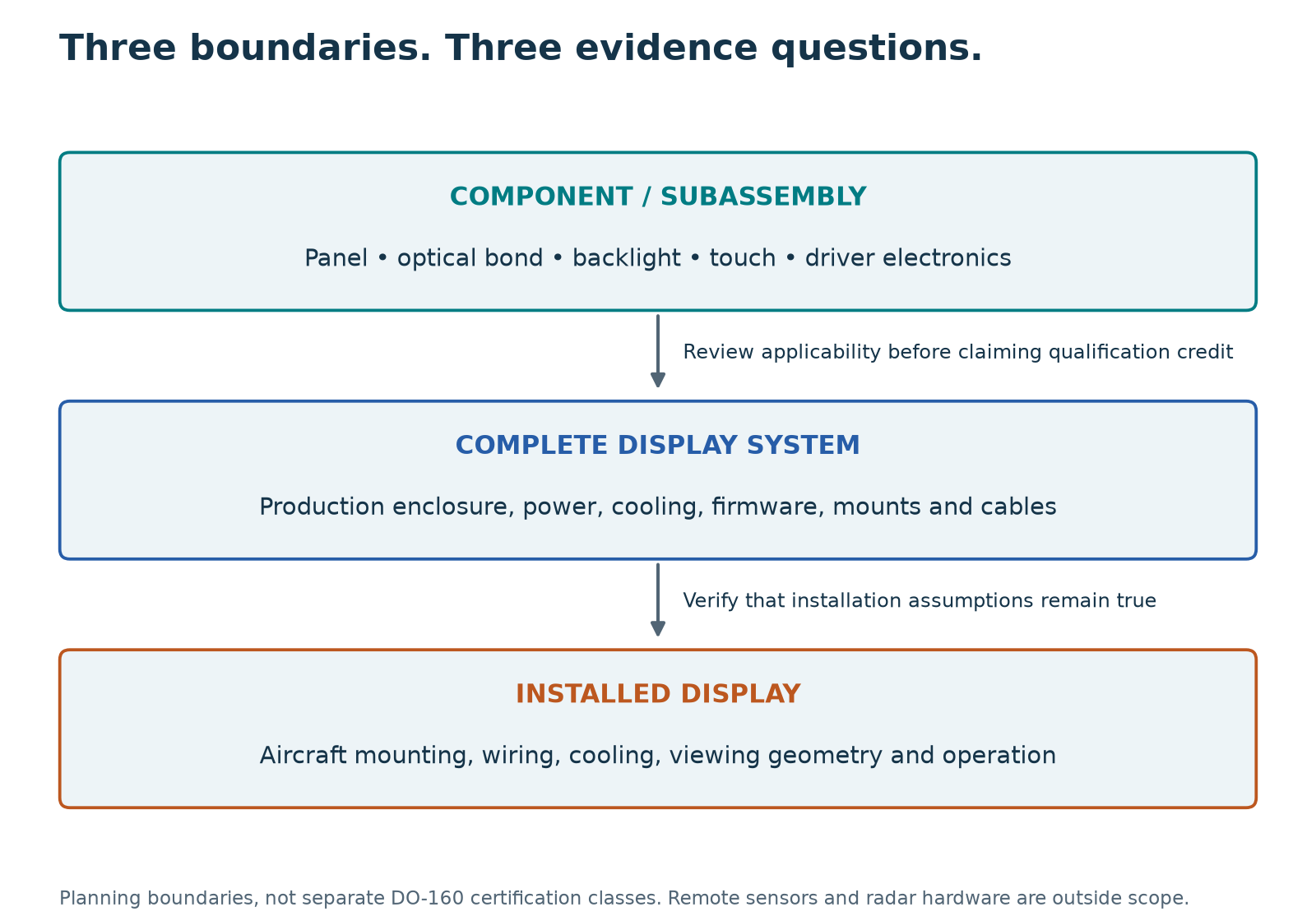
A bare LCD panel, a complete display and an installed display answer different questions. A panel report can support an allocated component requirement. It does not establish the behavior of the aircraft power converter, enclosure, touch system or mounting. At the installed level, we must show that cooling, wiring, bonding and viewing conditions preserve the assumptions behind the equipment evidence. These are engineering boundaries, rather than three separate certification classes.
Slide 8: What a qualification claim needs
When a supplier says DO-160 compliant, ask what was actually demonstrated. We need the edition, sections and categories, followed by the tested configuration and supporting reports. Check failures, repairs, deviations and retests. An Environmental Qualification Form is a useful summary, but the underlying evidence gives the claim its meaning. Equipment environmental testing contributes to the aircraft compliance argument. It does not, by itself, establish installation approval, service life or production acceptance.
Slide 9: Panel evidence has a defined boundary
A supplier gives you a temperature report for a bare LCD panel. Check the tested part, operating state, exposure and measured results. Your product adds bonded glass, touch electronics, power conversion, a housing and a mount. These additions create new interfaces and load paths. The report may support a panel requirement; it does not qualify the complete display.
Slide 10: Turn the report into an evidence plan
Turn the report into an evidence plan. First, compare its conditions and results with the requirement allocated to the panel. Record the scope that is supported. Next, list missing configuration, results or installation inputs and identify who will provide them. Finally, define the remaining verification for the added functions and complete assembly. Keep these three outcomes separate so another engineer can review the decision.
Slide 11: Acceptance criteria come first
Before we choose chamber settings, define what successful display behavior means. A screen may remain bright while the image freezes or the touch controller issues a false command. We need measurable criteria for image integrity, controls, validity indications and recovery. State when each criterion applies: during exposure, after exposure, or after an unpowered survival condition. A recovery that is acceptable for one function may be unacceptable for another. The required function and its consequences drive that decision.
Slide 12: A measurable acceptance record
These are illustrative customer criteria, not DO-160 limits. Cold startup needs a defined soak, power-on event and usable-image requirement, including moving information. Hot Contrast means the ambient contrast ratio while the panel is hot. This example requires at least five to one at a panel temperature of plus seventy degrees Celsius and fifty thousand lux at the screen. State the pattern, light spectrum, viewing geometry and dimming setting. Agree the uncertainty decision rule. Under a conservative rule, a measured ratio of five point one with expanded uncertainty of zero point two has a lower bound of four point nine. That result does not meet this acceptance rule. It does not prove that the true contrast is below five.
Slide 13: Hot Contrast in bright ambient light
Here, Hot Contrast means contrast measured while the display is at a stated elevated temperature, under specified bright ambient illumination. High-bright describes the environment: strong light falling onto the screen, such as sunlight or intense task lighting. Specify illuminance in lux at the screen, the light direction and spectrum, and the viewing geometry. That is different from display luminance in nits. LCD contrast often falls at elevated temperature, although the trend depends on the panel and drive conditions. Reflected ambient light further reduces visible contrast. Measure the combined condition on the finished optical stack.
Slide 14: Worked example: capture the transient
Imagine that the image flashes briefly during vibration, but the final still image looks normal. That final check cannot tell us what happened during exposure. Use a changing image with a visible sequence or time reference, record the relevant control outputs, and synchronize those observations with the test input. Choose the capture rate and instrumentation to resolve the shortest event that matters to the requirement. A camera can help, but its frame rate, exposure and viewing geometry can hide or create apparent artifacts. Correlate the image with power, backlight and data observations as needed. Define the permitted interruption, recovery behavior and decision rule before testing. We do not invent a universal allowable flash duration. Record the event first; diagnose its mechanism from the combined evidence.
Slide 15: The environmental coverage map
DO-160G has twenty-three environmental sections, numbered four through twenty-six. Screen all of them. That does not mean performing every test on every display. Temperature, moisture and mechanical exposures affect the physical assembly. Electrical tests challenge its aircraft interfaces and interference paths. Special hazards depend on the installation. A documented exclusion can be appropriate, while an unexplained blank remains a gap. The detailed reading keeps the complete section-by-section planning table.
Slide 16: DO-160 and MIL-STD-810
DO-one-sixty and MIL-standard-eight-ten can coexist on the same display program. DO-one-sixty supplies airborne environmental categories and procedures. Eight-ten starts with environmental engineering and tailoring across the equipment life cycle. A military program may therefore specify aircraft operation plus transport, storage or handling exposures. Start with the contract and installation. Identify the adopted editions and the individual requirements. Neither standard's name alone defines the complete test plan, and there is no general category-to-method conversion.
Slide 17: Related subjects, separate procedures
These are related subjects, not equivalence declarations. Temperature work connects section four with the military high- and low-temperature method families. Vibration connects section eight with method five-fourteen. Humidity and salt exposure also have related military methods. Read the exact revision and procedure in the adopted edition. Compare article state, exposure and functional evaluation. A matching test title or a higher peak level can still leave a required condition untested.
Slide 18: Qualification credit across standards
To reuse evidence, compare the complete requirements. Start with purpose, configuration, mounting, harness and operating state. Then compare the full exposure, including the profile, duration, cycles and sequence. Finally compare monitoring and acceptance. An unpowered high-temperature storage result does not establish powered display operation. A single planned test may support more than one requirement when its records demonstrate each requirement. Document the justification and obtain the program's required acceptance of that credit.
Slide 19: Chapter 1 complete
You have completed Introduction. Use the supporting reading pages to work through the examples and record the evidence you would need for your display. Next we continue with Temperature and Pressure. If you are planning a custom display or embedded platform, contact FPD.DEV to discuss the application. FPD.DEV. The Future of Display and Systems Development.
Reading pages
Page 1: Course purpose and qualification plan
About Diggy Breiling
Diggy began repairing displays and LCDs in 1992 while running a laptop computer repair depot in Austin, Texas. In 1994, he began enhancing commercial off-the-shelf (COTS) LCDs by optically bonding optical enhancement filters, electromagnetic interference (EMI) shields and transparent heaters to them.
Since 1994, he has built display products that meet or exceed applicable DO-160, MIL-STD-810 and other harsh-environment standards and application-specific requirements. That experience informs the practical display-integration examples throughout this course.
Course purpose and qualification plan
DO-160 Display Qualification | A-P13 — Development edition
Learning objective: Identify the course outputs and the evidence needed to support them.
From a test list to a qualification argument
This course follows the display from panel and optical stack, through its enclosure and electronics, to the aircraft installation. It is for display engineers, technical buyers, program managers, test engineers and integrators. Familiarity with display construction and basic electrical quantities is useful. No aircraft sensor or radar hardware is qualified in these lessons. Controlled interface sources are used only to evaluate display behavior.
By the end, you will be able to allocate testing to the correct boundary, consider all 23 environmental sections of DO-160G, interpret representative numerical conditions, define measurable acceptance criteria, review supplier evidence, and assemble a test-contract package. The final exercise produces an applicability matrix, a temperature procedure outline, a monitoring plan, an installation checklist and an evidence index.
How to study
Begin with scope, boundaries and claims, then study display acceptance criteria before selecting environmental methods. Create the running matrix early. Continue through environment families, installation evidence and supplier deliverables, completing the same matrix as you go. Complete the short exercises before reading their worked responses. The presentation takes about two hours. Allow approximately 12 hours in total as a provisional study budget for the presentation, supporting reading, exercises and capstone. A project-specific implementation and standards study can take longer. This study estimate is not a laboratory exposure duration.
The numerical examples distinguish three things: an identified requirement from DO-160G, a selected category example, and an invented teaching requirement. Neither the selected categories nor the invented acceptance limits prescribe a universal cockpit display specification. The full adopted standard controls procedural details, tolerances, equipment and exceptions.
Your working file
Create five headings in your own notebook: installation assumptions; equipment boundary; environmental matrix; acceptance and monitoring; evidence and limitations. Carry the same example display through the course. Unknown aircraft inputs remain open requirements. Do not silently replace them with numbers from another product's qualification form.
This development edition uses DO-160G section numbering and identified FAA guidance. It provides engineering education and does not establish qualification, certification, competence authorization or product release. Course completion records do not replace an approved test plan, actual results or installation substantiation.
Your running qualification matrix
Start the matrix now with requirement, installation source, boundary, proposed method, acceptance, evidence status and owner. Use unresolved for missing inputs. The environmental coverage lesson screens all sections; the later matrix lesson closes configuration, evidence and limitations.
Your working qualification matrix
Start one record linking each requirement to its source, equipment boundary, method/category, acceptance criteria, configuration and evidence status. Keep applicability separate from compliance status. Expand it as you work through the chapters. On Page 16 in Chapter 7 you will use this same record to define test deliverables and close the evidence gaps.
Reference shelf and practical worksheets
DO-160 Display Qualification | A-P13 — Development edition
Learning objective: Locate primary sources and reuse the course planning fields responsibly.
Primary references
- RTCA DO-160 publications and supporting material: use the exact contracted edition and changes; this course uses DO-160G section numbering.
- FAA AC 21-16G: environmental qualification guidance recognizing specified DO-160 editions.
- FAA AC 25-11B: electronic flight displays for transport airplanes; apply its stated scope.
- FAA AC 20-158B: aircraft electrical/electronic systems operating in the HIRF environment.
- FAA AC 20-136C: aircraft electrical/electronic system lightning protection; Figure 1 and Table 4 inform the redrawn explanatory diagram and editable summary on Page 14 in Chapter 6.
- SAE AS8034 publisher entry: display performance requirements where invoked; select the applicable edition.
- DLA MIL-STD-461 record and DLA MIL-STD-3009 record: military EMI and NVIS-related requirements where applicable.
Selected DO-160G reading map
| Topic | Source location |
|---|---|
| Undemonstrated condition / configuration changes | §§2.8–2.9 |
| Test articles, connections and modes | §3 |
| Temperature categories and pressure conversion | Tables 4-1 and 4-2; read associated definitions |
| Low/high exposures and pressure subtests | §§4.5–4.6 |
| Variation rates and sequence | §§5.2–5.3.1 |
| Humidity cycles | §6, applicable category profile |
| Operational shock and crash safety | §7 |
| Salt spray conditions and sequence | §14 |
| RF, lightning and ESD | §§20–25 as applicable |
| Fire/flammability scope | §26 |
| Environmental qualification summary | Appendix A |
Worksheet 1 — applicability and evidence
Copy one row per section/subtest: requirement ID; function; aircraft exposure source; boundary; applicability rationale; edition/section/category; level/curve/waveform; configuration; procedure; article/sequence; modes; acceptance; report/data; limitation; owner/status.
Worksheet 2 — procedure stage
Copy one row per stage: sequence; normative paragraph; environment target/tolerance; power state; stabilization rule; timer trigger; exposure duration; monitored functions; measurement setup; acceptance; recorded data; stop/deviation authority.
Worksheet 3 — supplier evidence review
Record offered claim; report ID/revision; tested part/serial/BOM/software; differences from purchased configuration; exposure match; performance match; anomalies/repairs/retests; installation limits; credited requirements; open actions and acceptance authority.
Worksheet 4 — installed verification
Record qualified assumption; aircraft configuration; verification method; applicable requirement; result/evidence; discrepancy; disposition; final installation limitation. Use it for mounting, cooling, power, harness/shields, bonding, viewing geometry, controls, reversion and input-loss behavior.
Use the publisher's current issuance record when starting a new contract. An advertised revision-development schedule is not an issued standard. A new publication does not silently change an existing contractual baseline; manage edition changes through the agreed process.
Fixed-wing and helicopter reference path
- RTCA DO-160G: §8.2 for aircraft/category/zone selection; §§8.5–8.7 for fixed-wing methods; §8.8 for helicopter methods. Use the adopted controlled revision and changes.
- FAA AC 20-158B: certification scope, display-system method in §10.11, and aircraft-specific transfer functions and attenuation in Appendix A.
- FAA AC 20-136C: aircraft electrical/electronic system lightning protection within its stated scope.
- FAA rotorcraft regulations and guidance: locate the applicable Part 27/29 requirements and current certification guidance for the program’s basis.
Worksheet addition: record an aircraft application, location/zone, mount and bond configuration, vibration frequency basis, electromagnetic evidence allocation, installation constraints and named owner for every unresolved input.
Page takeaway
- Create a working plan with five headings: installation assumptions, equipment boundary, environmental matrix, acceptance and monitoring, evidence and limitations.
- Keep the controlled-source reading map and worksheets available throughout the exercises.
Display enhancement capabilities and limits
FPD.DEV often enhances COTS displays to exceed the original manufacturer specifications in selected performance areas. Diggy's enhancement experience includes temperature range, durability, contrast, brightness, spectral performance, touch capabilities and other application needs.
| Area | Possible enhancement | Limit or tradeoff to verify |
|---|---|---|
| Temperature range | Controlled heaters, cooling, thermal paths and suitable materials | System ambient range differs from panel temperature; check cold response, hot contrast, warm-up and life |
| Durability | Protective glass, optical bonding, edge protection and suitable mounting | Loads still reach the cell and interfaces; protection must suit the exposure |
| Contrast and brightness | Reduce reflections and improve backlight/optical efficiency | More light can mean more power and heat; measure ambient contrast |
| Spectral performance | Tailored light sources and optical filters, including NVIS requirements where applicable | Check transmission, color, spectral radiance and thermal effects |
| Touch and interfaces | Application-appropriate touch sensing, controls and integration | Check gloves, moisture, EMI, false inputs and optical loss as applicable |
An enhanced assembly has its own identified configuration and evidence. Heating or cooling can widen the surrounding operating environment while keeping the original LCD within its rated temperature range. Actual operation beyond a component's published rating requires specific characterization and reliability evidence. Neither approach automatically changes the supplier's rating or guarantees every enhancement on every panel.
Source: Diggy Breiling's engineering experience and course input, 21 October 2026. Capabilities are application-dependent.
Supporting page images

Photo: Don-vip · A350 First Flight - Low pass 02 · CC BY-SA 3.0. Original image, displayed at reduced size.

A living course
This course is a living document, and the standards it draws on evolve too. We update the lessons as standards, engineering practice and our experience develop. Enrolled learners will typically receive updates when chapters are revised. For your own project, keep using the agreed qualification baseline until a change has been reviewed and adopted.
Page 2: Boundaries, qualification claims and evidence
Component, system and installation boundaries
DO-160 Display Qualification | A-P13 — Development edition
Learning objective: Allocate evidence to the display boundary that actually experiences the condition.
Define the display boundary before selecting tests
For planning purposes, use three levels. These are engineering boundaries, not separate DO-160 certification classes.
| Level | What is inside the boundary | What the evidence should establish |
|---|---|---|
| Display component or subassembly | LCD or OLED panel, backlight, optical films, cover glass, optical bond, touch sensor and controller, driver boards, flex circuits and connectors, as applicable | Capability and limitations at the interfaces and exposures that the component actually experiences |
| Complete display system | Production-representative display assembly, controller or graphics electronics, power supply, controls, enclosure, seals, mounting hardware, cooling and connecting cables; include a separate display controller when it belongs to the display architecture | Specified display functions and physical safety under the allocated environmental conditions |
| Installed display | The defined display system fitted to its aircraft location, with actual mounting, power, cooling, bonding, harness routing, viewing geometry and configuration | Compatibility with the installation and satisfaction of the applicable installation requirements |
A “display module” sold as an enclosed, directly aircraft-powered unit may already be the equipment under test. A bare panel driven from a regulated internal rail is a different boundary. The supplier’s product name does not decide the test allocation.
Upstream inputs may be represented by controlled simulators. The display still needs tests for correct presentation, timing, validity indication and response to missing or malformed inputs. That verifies the display’s interface behavior; it does not qualify the equipment that normally generates those inputs.
Component testing reduces risk before qualification
Component work is most useful when it finds weaknesses before the final assembly is committed. Characterize cold response, hot luminance, dimming behavior, uniformity, color, touch performance and power demand. Exercise the optical bond, seals and flex connections through relevant temperature, moisture and mechanical exposures.
The conditions need to represent the component’s actual environment. A panel inside a sealed display usually does not see the same water exposure as the front surface. A backlight bonded to a heat spreader does not have the thermal boundary conditions of a bare module in free air. A fixture can either reproduce the intended support or create an artificial glass stress.
Supplier evidence should identify the part and revision, sample configuration, mounting, electrical drive, exposure, measurements, criteria and results. A temperature range on a data sheet does not explain whether an image remained usable throughout the range.
Qualification credit must be justified. DO-160G §2.9 ties results to the tested configuration, and §3 addresses representative connections, operating modes and test arrangements. Review differences in enclosure, glass, bonding adhesive, panel, backlight drive, firmware, grounding and cables before reusing evidence. Retest affected requirements where applicability cannot be demonstrated. DO-160G publisher information.
Exercise: place the disturbance
A bonded LCD uses an internal 5 V rail. The complete display accepts aircraft 28 VDC. A supplier offers a bare-panel temperature report and says no power-input test is needed. Identify the missing argument.
Worked response
the panel report may support the panel's allocated temperature requirement if configuration and conditions match. It does not evaluate the aircraft input, power converter, internal rail behavior, enclosure cooling or complete display reset behavior. Apply the allocated aircraft power tests at the complete display's aircraft interface and observe the internal consequences and visible function. Preserve the panel report as supporting evidence with a defined limit of applicability.
Boundary worksheet
Record what is physically supplied, what is needed to operate it, and what the aircraft supplies. Identify separate display controllers, remote power modules or dedicated cooling equipment that are part of the display architecture. Record cable ownership and whether each connection is internal to the display system or an aircraft interface. That distinction determines test points and representative harness arrangements.
Fixed-wing aircraft and helicopters
The same component, complete-system and installation boundaries apply to both. The environmental allocation changes with the aircraft, location and intended function. A fixed-wing report does not automatically qualify a display for a helicopter, and a helicopter label does not establish suitability for every rotorcraft.
| Planning input | Fixed-wing application | Helicopter application |
|---|---|---|
| Vibration | Identify propulsion type and installation zone; select the applicable standard or robust method and any required abnormal-condition test. | Use the helicopter robust approach; establish rotor-related frequencies or the applicable unknown-frequency method and location limits. |
| EMI and EMC | Account for enclosure, airframe shielding, bonds, harnesses, antenna proximity and display function. | Use the same evidence chain; assess the specific airframe, wiring and installed equipment. Do not assign an automatic helicopter RF severity multiplier. |
| Pressure and exposure | A pressurized flight deck and an unpressurized light aircraft can require different allocations. | Establish the actual pressure and exposure environment; do not transfer a pressurized-airplane decompression assumption by default. |
| Crew interaction | Verify installed viewing, dimming, controls and the relevant operating conditions. | Include operational vibration and control usability, plus mission-specific gloves, lighting or NVIS requirements where applicable. |
These are planning distinctions. The adopted DO-160 revision, aircraft requirements and accepted compliance plan determine the actual tests. Page 10 in Chapter 4 and Page 13 in Chapter 6 develop the vibration and EMC comparison; Page 18 in Chapter 7 applies it to a second capstone case.
Qualification claims and supporting evidence
DO-160 Display Qualification | A-P13 — Development edition
Learning objective: Distinguish a qualification statement, its evidence and installation approval.
What DO-160 qualification establishes
RTCA DO-160 describes laboratory environmental tests for airborne equipment. FAA AC 21-16G recognizes specified editions as acceptable environmental qualification methods for certain airworthiness requirements; it is guidance, not a regulation or a universal product approval. RTCA itself does not certify products. FAA AC 21-16G, RTCA certification guidance.
The useful claim is that an identified display configuration has demonstrated specified performance under identified test conditions. A statement such as “DO-160 compliant” leaves too much unsaid: the edition, sections, categories, configuration, limitations and supporting reports all matter.
This article uses DO-160G section numbering. A contract should name its required revision and applicable changes explicitly. RTCA provides Change 1 and the separate DO-357 user guide; verify the issued edition and the program’s accepted baseline before contracting or publishing a qualification claim. A new edition does not silently replace an existing contractual baseline. RTCA DO-160 publications.
DO-160 testing does not, by itself, establish service life, production acceptance, software or hardware design assurance, or installation approval. Those activities have their own requirements. Nor does every display need every test: the complete suite is an applicability checklist, not an instruction to expose every panel to every environment.
Compare three supplier statements
| Statement | What it supports | What you still need |
|---|---|---|
| Tested to DO-160 | A claim that some testing occurred | Edition, sections, categories, report and tested identity |
| DO-160G, Section 5, Category B | An identified variation method | Temperature endpoints, configuration, performance requirements, results and limitations |
| Identified unit and revision, categories listed in an Environmental Qualification Form, reports available | A traceable starting point for qualification credit | Review of differences, installation compatibility and unresolved conditions |
DO-160G Category X means compliance was not demonstrated for that environmental condition. It does not mean a pass, and it does not establish that the environment is inapplicable. A sound matrix has both an applicability rationale and a truthful evidence status. Sections use different category systems; their letters are not a universal severity ladder.
Exercise: review a reused report
The new assembly keeps the same panel but changes the touch controller, cover coating and cable shield termination. List three reasons the old EMI report may need an impact assessment. Worked response: the controller changes emissions and susceptibility paths; the coating can change shielding or coupling; the termination changes common-mode paths and shielding effectiveness. A supplier's statement of equivalence needs technical support against the affected requirements. A successful image on a bench supplies little of that support.
Source task
Ask for the Environmental Qualification Form and the underlying reports. Match every report to the article configuration and software. Check deviations, failures, repairs and retests before accepting a summary as the final disposition. Record installation restrictions beside the claim so a later integrator sees the conditions under which the evidence remains useful.
Worked example: review a supplier claim
A supplier offers a bare-panel temperature report. Your display adds bonded cover glass, touch electronics, an aircraft power converter, a sealed housing and a mounting bracket. Identify the tested part and conditions, compare them with the allocated panel requirement, and record the scope that the report actually supports. Then list the additional thermal, electrical, optical and mechanical interfaces that need assessment. The output is a boundary drawing and an evidence-gap list. Do not transfer a component result to the complete assembly solely because the LCD part number matches.
Page takeaway
- Identify the supplied equipment and aircraft interfaces, including the mounting, cooling and cable boundary.
- Record the exact claim, tested configuration, evidence and limits before assigning qualification credit.
Apply the supplier evidence to a plan
Companion to slides 9–10. Keep the panel evidence boundary separate from the complete display and its aircraft interfaces.
| Record | What to establish |
|---|---|
| Supported scope | Panel requirement matched to report conditions |
| Open inputs | Missing configuration, results or installation data |
| Remaining verification | Added functions, interfaces and assembly behavior |
Make the next action explicit
For each requirement, record the tested configuration, relevant supplier evidence, differences in the proposed assembly, and the justification or additional test needed. Name the acceptance criteria and the evidence that will close the gap.
Discussion prompt
What does the bare-panel temperature report establish? What remains to be demonstrated for the aircraft-powered display? Compare enclosure cooling, mounting, optical stack, power conversion and visible performance before deciding where credit is justified.
See slides 9–10 and this chapter’s evidence-allocation reading. No additional qualification claim is implied.
Supporting page images
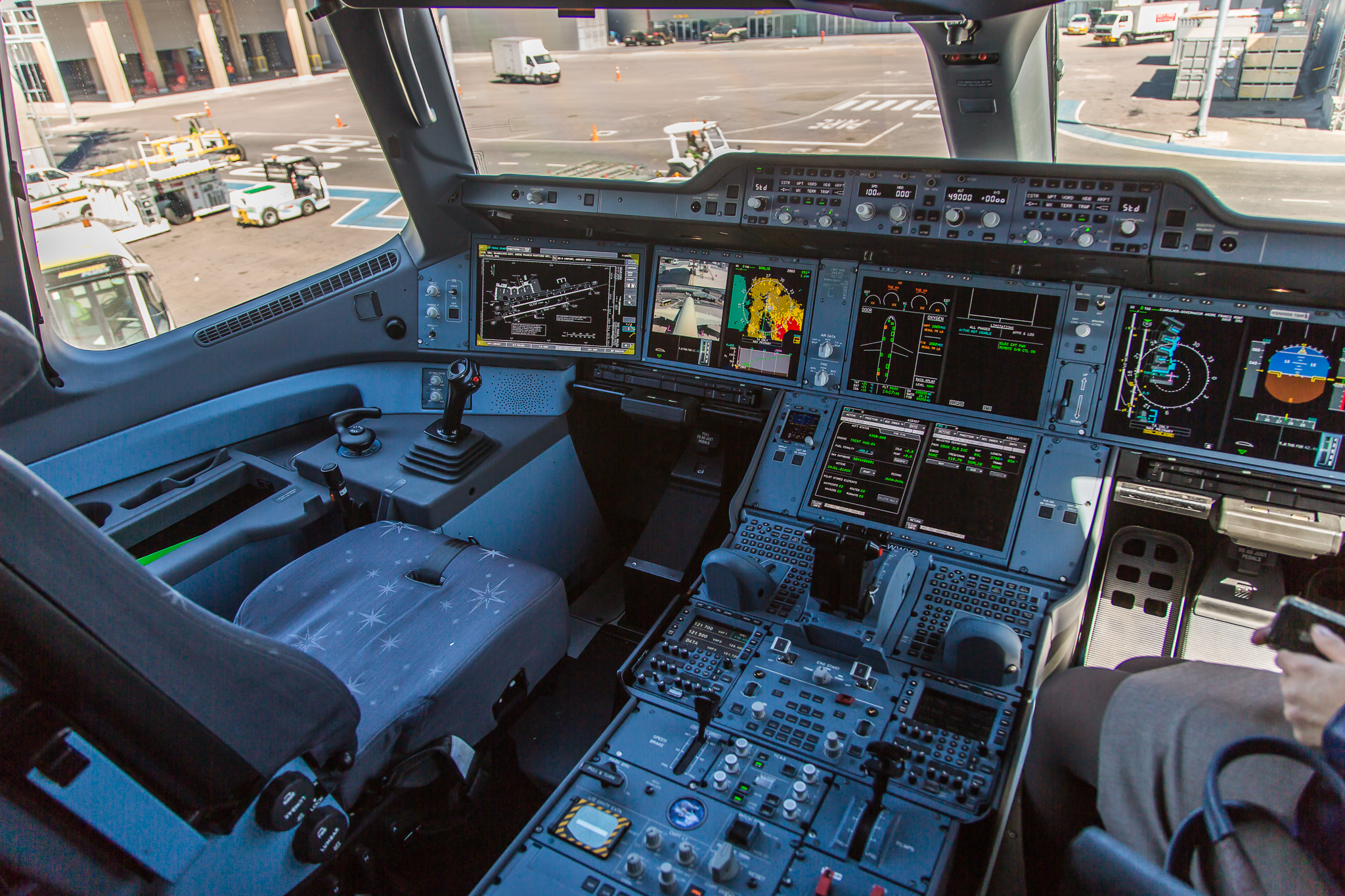
Photo: Joao Carlos Medau · Airbus A-350 XWB F-WWYB cockpit view · CC BY 2.0. Original image, displayed at reduced size.

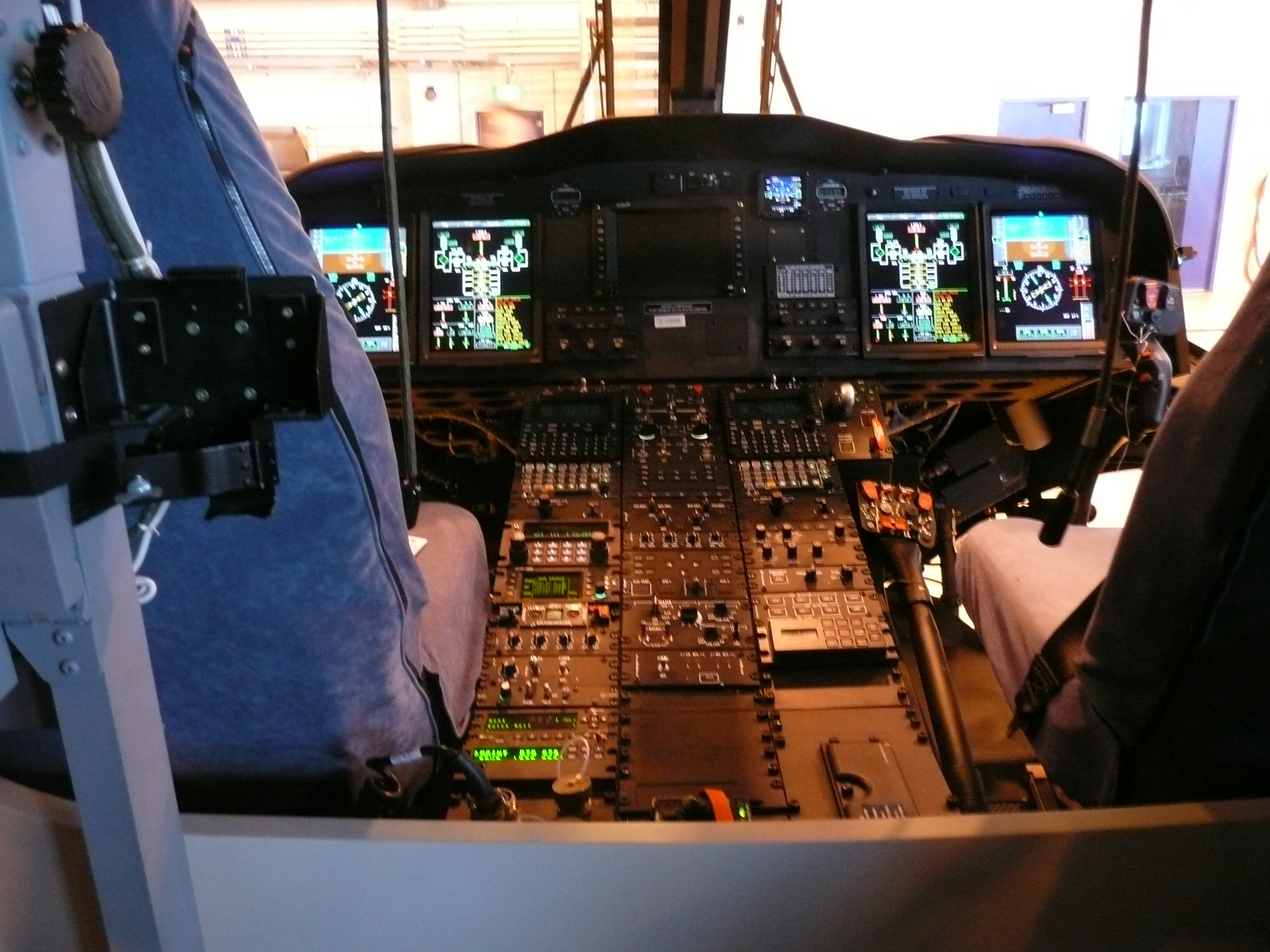
Photo: Terry Whalebone · AgustaWestland AW 139 helicopter cockpit · CC BY 2.0. Source image retained unchanged; displayed at reduced size.

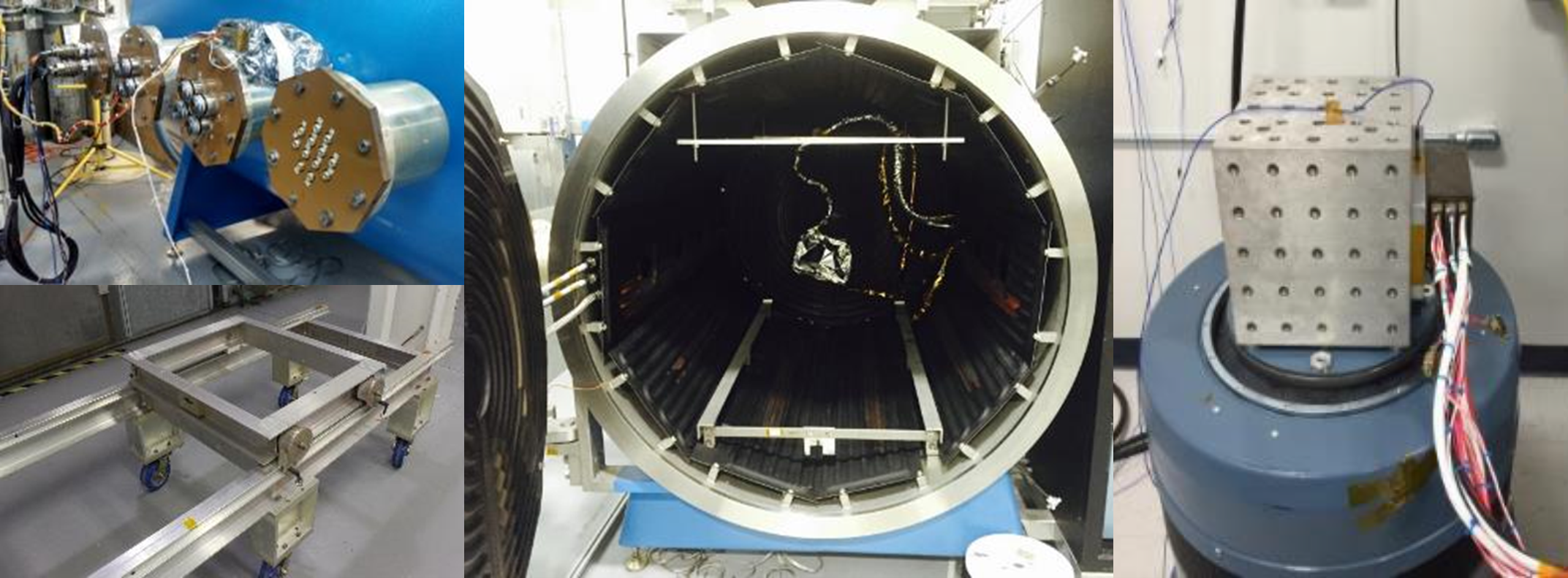
Photo: NASA Goddard Space Flight Center / Engineering and Technology Directorate · Environmental Testing: Thermal Vacuum Chamber and Vibration Table Collection · NASA imagery; generally not subject to US copyright. Original image, displayed at reduced size.
Page 3: Display acceptance criteria and monitoring
Display acceptance criteria and monitoring
DO-160 Display Qualification | A-P13 — Development edition
Learning objective: Write criteria that detect misleading, frozen or degraded display behavior.
Define what the display must do during the test
“The unit still works” is too weak an acceptance criterion. A screen can remain illuminated while showing stale information, losing a warning color or generating an unintended touch command.
The display performance specification should define measurable requirements for the functions being qualified. Useful groups include:
- Optical performance: luminance, contrast under stated illumination, color, uniformity, viewing range, dimming, defects and image retention where relevant.
- Dynamic behavior: startup, response time, refresh artifacts, flicker, image continuity, data age and latency at the display boundary.
- Controls: touch accuracy, missed or false inputs, physical-control operation and feedback.
- Integrity and recovery: validity indications, detection of frozen or corrupt images, mode retention, permitted interruptions, recovery time and any permitted operator action.
- Physical condition: cracks, delamination, leakage, loose hardware, corrosion, insulation and retention, using limits appropriate to the test.
Define the measurement setup as carefully as the number: pattern and image loading, backlight setting, temperature, stabilization, illumination direction and level, viewing angle, instrument geometry, uncertainty and observation interval. A room-temperature center-screen measurement cannot establish performance throughout the viewing envelope at an environmental extreme.
For transport-airplane flight deck displays, FAA AC 25-11B discusses readability, luminance, contrast, color, dynamic behavior and installation viewing conditions. Its scope should not be generalized into identical requirements for every aircraft or every cabin display. FAA AC 25-11B, Chapters 3 and 5.
Select operating modes separately for each hazard. Maximum brightness may drive thermal loading; another dimming setting may produce more emissions or worse susceptibility. Exercise relevant data links, touch scanning, heaters, fans and display processing. A static logo can conceal a frozen frame. A time-varying pattern, controlled input sequence and synchronized event log provide stronger evidence.
Separate during-exposure, post-exposure and survival criteria. Do not insist on powered operation during a test defined for unpowered survival, and do not accept automatic recovery where the display function requires uninterrupted operation. Any permitted degradation needs a defined duration and consequence consistent with the program’s requirements.
Worked acceptance record — illustrative customer choices
| Requirement | Teaching acceptance value | Measurement and timing |
|---|---|---|
| Dynamic image remains current | No unannunciated freeze lasting over 100 ms | Moving frame counter and synchronized camera or validated capture; define detection resolution |
| Startup under the agreed cold condition | Usable image within 60 s of power application | Defined initial soak, valid input and power threshold; record heater and backlight states |
| Hot Contrast in bright ambient light | Ambient contrast ratio at least 5:1 | Panel +70 °C; 50,000 lx at screen; defined spectrum, light/viewing geometry, pattern, brightness setting and stabilization |
| Input validity | Invalid input produces the specified indication within 250 ms | Timestamp the injected invalidity and indication; distinguish processing from sensor latency |
These values are invented course examples. A real program derives criteria from its function and safety assessment. A 100 ms interruption may be unacceptable for one function and irrelevant for another. Recovery after a disturbance is not adequate where uninterrupted operation is required.
Measurement uncertainty
Suppose the measured hot ambient contrast ratio is 5.1:1 with expanded uncertainty of 0.2 in the ratio and a required minimum of 5:1. A decision rule requiring measured value minus uncertainty gives 4.9:1, so it does not establish acceptance under that rule. This does not prove that the true contrast is below the limit. A simple measured-value rule gives a different decision. Agree the rule before testing. Do not select the favorable rule after seeing the data.
Exercise
Rewrite “display shall work after vibration.” Worked response: identify which functions must operate during vibration, required checks between axes and after exposure, the image sequence and controls exercised, permitted discontinuities, numeric optical limits, physical inspection criteria and the exact configuration. The phrase after vibration cannot silently waive a required during-test function.
Worked example: capture a transient fault
A contrast flash appears during vibration and disappears before the final inspection. Use a changing image, record control outputs and synchronize observations with the applied exposure. Select a capture method that can resolve the shortest event relevant to the requirement. Consider camera artifacts and correlate with power, backlight and video data as needed. Set acceptable interruption and recovery behavior before testing. A clean final still image cannot close a during-test requirement; a flash by itself also does not establish its cause.
Page takeaway
- Write measurable criteria with observation timing, setup and a decision rule.
Hot Contrast in a high-bright environment
Hot Contrast is the course's descriptive term for contrast at a stated elevated display temperature. Here it means ambient contrast measured while hot. It is not a separate DO-160 category or a universal threshold.
A high-bright environment means strong ambient illumination falling onto the screen, such as sunlight or intense task lighting. Specify illuminance at the screen in lux, source spectrum and angular distribution, and the viewing geometry. Display luminance, commonly stated in cd/m² or nits, describes light coming from the screen and is a different quantity. Solar heating also needs a defined thermal/irradiance exposure; lux alone does not specify the heat load.
LCD contrast often decreases at elevated temperature, but the amount and even the trend depend on LC mode/material, optical stack, compensation and drive conditions. Ambient reflections can further wash out dark image regions. Qualification should measure the combined hot and illuminated condition, with representative panel temperatures and viewing angles.
For a simplified transmissive-display illustration with equal reflected luminance in the white and black states:
ACR = (Lwhite + Lreflection) / (Lblack + Lreflection)
In this simplified expression, Lwhite and Lblack are the display luminances excluding ambient reflection. Lreflection is the ambient-reflected luminance, assumed equal in the two states. If white and black luminances are measured with ambient illumination already present, divide those total measured luminances directly. Do not add reflection a second time. Where reflection differs between states, use the corresponding reflected luminance for each state.
All luminances are measured in the same viewing direction. Real surfaces can have different reflections and directional glare, so use an appropriate measurement method for the finished stack.
Illustrative acceptance example
Panel temperature +70 °C, 50,000 lx at the screen, and ambient contrast at least 5:1 are invented teaching conditions. Define illumination spectrum, directions, stabilization, pattern and backlight setting. A measured ratio of 5.1:1 with expanded uncertainty of 0.2 gives a lower bound of 4.9:1 under the stated conservative rule, so acceptance is not established. This does not prove that the true contrast is below 5:1. These are not DO-160 acceptance limits.
Sources: NIST daylight contrast measurement research; Tianma ambient-reflection reduction; Focus LCDs temperature guidance. Accessed 21 October 2026.
Supporting page images
Image: AlbertCahalan (Wikimedia Commons: AlbertCahalan~commonswiki) · Zone plate boys · CC BY-SA 3.0. Source image retained unchanged; displayed at reduced size.

Page 4: Standards relationships and environmental coverage
Standards relationships and environmental coverage
DO-160 and the standards around it
Learning outcome: Build a standards-applicability map and justify whether existing evidence can support another requirement.
A display may need several kinds of evidence at the same time: environmental capability, military mission suitability, power and data compatibility, optical performance, development assurance and aircraft integration. Begin with the contract, certification or military airworthiness basis, installation and intended use. A standard belongs in the plan because an applicable requirement invokes it or the accepted engineering plan uses it. The list below is a screening aid, not a universal mandatory bundle.
| Document family | Primary role | Relationship to the display plan |
|---|---|---|
| DO-160 / corresponding ED-14 edition | Airborne environmental conditions, categories and methods | Select the required sections/categories for the installation. Record the exact edition and changes. DO-357 supplies user guidance for DO-160G. |
| MIL-STD-810 | Environmental engineering and tailored laboratory methods | Military missions may add storage, transport, handling and operating exposures. Tailor to the life-cycle environmental profile, then compare requirements individually. |
| MIL-STD-461 / MIL-STD-464 | Equipment EMI / complete-system electromagnetic environmental effects | Compare allocated equipment tests with DO-160 electrical/EMC tests. Retain separate system E3 integration evidence. |
| MIL-STD-704 / MIL-HDBK-704 | Aircraft input-power characteristics / supporting test guidance | Compare the invoked power requirement with DO-160 Section 16 and other applicable electrical sections. The handbook provides guidance. |
| MIL-STD-1275 | 28 VDC military ground-vehicle input power | Consider when reusing a display on a military ground vehicle. A nominal 28 V label does not establish compatible transients. |
| MIL-STD-3009 / MIL-STD-1472 | NVIS emission / human-engineering criteria | Where invoked, add optical/spectral, dimming, readability and interaction requirements. Environmental exposure may affect those performance characteristics. |
| AS8034 and applicable TSO / aircraft display requirements | Airborne display performance and approval context | Identify the actual standard revision referenced by the applicable approval or contract. Do not automatically substitute the latest publisher edition. |
| DO-178C / ED-12C and DO-254 / ED-80 | Software / electronic hardware development assurance | Use the accepted assurance plan and applicable objectives for each item. Environmental tests contribute different evidence. |
| ARP4754 / ARP4761 families | Aircraft/system development / safety assessment | Allocate functions, failure conditions, requirements and verification. Adoption of a particular revision requires the program basis. |
| Aircraft ICDs and invoked ARINC specifications | Power, data, timing, protocol and mechanical interfaces | Verify interfaces and configuration alongside environmental qualification. A protocol label does not establish installation compatibility. |
| IEC 60529 and other customer standards | Ingress classification or additional application-specific requirements | Map each IP claim and test condition explicitly. IP ratings, DO-160 water/sand/dust methods and military methods do not automatically substitute for one another. |
DO-160 and MIL-STD-810: overlap and differences
DO-160 defines airborne environmental categories and test procedures. MIL-STD-810 provides environmental engineering direction and a tailoring process across the materiel life cycle. Its title alone supplies neither a universal test severity nor a complete product pass criterion. A military aircraft display can therefore have DO-160 equipment requirements plus tailored MIL-STD-810 exposures for a mission, transport, storage or handling condition.
There is no general conversion from a DO-160 category to a MIL-STD-810 method or procedure. The comparison below identifies related subjects only. Method numbers are family identifiers; select the exact method revision and procedure from the contractually adopted MIL-STD-810 edition. The retained comparison baseline is MIL-STD-810H with Change 1.
| Subject | DO-160G | MIL-STD-810 method family | Comparison needed |
|---|---|---|---|
| Temperature / altitude | DO-160 §4 | MIL-STD-810 Methods 500, 501, 502 | Operating vs storage state, pressure, temperature, dwell and functional checks |
| Temperature change | DO-160 §5 | MIL-STD-810 Method 503 | Air-to-air transfer or ramp, article temperature, stabilization, cycles and power state |
| Humidity | DO-160 §6 | MIL-STD-810 Method 507 | Cycle profile, temperature/RH control, duration, recovery and evaluation |
| Shock | DO-160 §7 | MIL-STD-810 Method 516 | Handling vs operational vs retention purpose, waveform, axes, fixture and acceptance |
| Vibration | DO-160 §8 | MIL-STD-810 Method 514 | Platform/zone, sine or random profile, frequency/PSD, duration, axes and monitoring |
| Salt exposure | DO-160 §14 | MIL-STD-810 Method 509 | Solution and collection conditions, fog/dry sequence, corrosion and functional evaluation |
What permits shared test evidence?
- Record both source requirements, editions, categories/procedures and any approved tailoring.
- Compare the test purpose, article configuration, mounting, harness, cooling, power state and operating modes.
- Compare the complete exposure: levels, spectra or waveforms, rate, duration, cycles, sequence and recovery.
- Compare functional monitoring, optical/control acceptance, measurement bandwidth, uncertainty and reporting.
- Record coverage and gaps. Use existing evidence only with a documented technical justification and the acceptance required by the program. Plan additional testing for remaining gaps.
A higher peak temperature or larger overall g value alone does not demonstrate coverage. An exposure can be more severe in one respect while missing another required condition. One combined test can support multiple requirements if its plan and records demonstrate each requirement independently. Do not declare equivalence from a standards comparison table.
Worked comparison
A supplier offers a MIL-STD-810 high-temperature storage report for a display required to remain usable during a DO-160 operating-temperature test. The enclosure and panel part number match, but the reported article was unpowered.
Reasoned response
The report may support the stated storage exposure. It does not establish powered image, touch, luminance, control or recovery performance. Identify the required DO-160 category and complete procedure, compare configuration and exposure details, and obtain the missing operational evidence. Record any reusable storage evidence separately from the open operating requirement.
Electrical, optical and assurance boundaries
MIL-STD-461 addresses equipment and subsystem EMI. MIL-STD-464 addresses system electromagnetic environmental effects. These roles overlap subjects in DO-160 but require their own allocation and test comparisons. MIL-STD-704 defines aircraft power characteristics at utilization-equipment terminals and explicitly excludes EMI and voltage spikes from its scope. Use the applicable MIL-HDBK-704 test guidance and separately allocated electrical requirements. MIL-STD-1275 addresses military ground-vehicle 28 VDC power; do not carry an aircraft power conclusion directly to that installation.
MIL-STD-3009 addresses emission characteristics of aircraft lighting and displays used with NVIS. MIL-STD-1472 supplies military human-engineering criteria. AS8034 addresses airborne multipurpose-display performance. Where invoked, connect their requirements to the display acceptance plan and decide which checks must occur during or after environmental exposure. Passing an environmental test does not by itself establish NVIS compatibility, readable symbology or a compliant crew interface.
DO-178C and DO-254 address development assurance for their applicable software and electronic-hardware scope. ARP4754 and ARP4761 support aircraft/system development and safety assessment. Determine applicability and assurance levels through the accepted program process. Treat environmental qualification, assurance evidence and installation approval as connected parts of the evidence package. Neither a COTS label nor a chamber pass closes the other parts.
Your standards-applicability worksheet
Add these fields to the running matrix: source requirement and edition, applicability reason, product boundary, selected test/procedure, acceptance, proposed shared evidence, uncovered difference, responsible owner and acceptance disposition. Keep commercial-aircraft, military-aircraft and military-ground-vehicle assumptions distinct.
Reference basis
- FAA AC 21-16G, §§4 and 7 — DO-160 environmental qualification and regulatory context
- MIL-STD-810H Change 1, Part One and selected Part Two methods — MIL-STD-810 tailoring
- MIL-STD-461, scope and invoked test methods — Equipment EMI
- MIL-STD-464, scope — System E3
- MIL-STD-704 and MIL-HDBK-704 series, scope — Aircraft power
- MIL-STD-1275, scope — Military ground-vehicle power
- MIL-STD-3009, scope — NVIS display emission
- MIL-STD-1472, scope — Human engineering
- FAA AC 20-115D, DO-178C / ED-12C — Airborne software assurance
- FAA AC 20-152A, DO-254 / ED-80 — Airborne electronic hardware assurance
- SAE ARP4754B, publisher scope; program adoption separately established — Aircraft and system development
- SAE ARP4761A, publisher record; program adoption separately established — Aircraft safety assessment
- SAE AS8034C, publisher scope; use the actually invoked revision — Airborne display performance
- IEC 60529, publisher scope — Enclosure ingress classification
- RTCA DO-357, publisher document catalog — DO-160 user guidance
Scope information checked 21 October 2026. Publisher issue dates do not establish contractual adoption. The comparison and worked example are course engineering interpretation.
DO-160 Display Qualification | A-P13 — Development edition
Learning objective: Screen every environmental section for applicability without imposing every test on every display.
The full DO-160 test suite for a display
Sections 1–3 establish purpose, definitions and general test conditions. Sections 4–26 contain 23 environmental test sections. Appendix A addresses identification of the environmental qualification performed. The following is a planning interpretation for display systems; use the contracted standard for exact procedures, categories and limits.
Temperature moisture and mechanical exposure
| Section and exposure | Display component considerations | Complete display and installation considerations |
|---|---|---|
| 4 — Temperature and altitude | Characterize cold startup and pixel response, hot image quality, backlight and heater behavior, bond integrity and pressure-sensitive cavities. Separate operating capability from unpowered survival. | Test applicable low/high operating and survival conditions, short-time operation, altitude, decompression, overpressure and loss of cooling. Select applicable subtests. Represent cooling, heat dissipation and mounting; substantiate the installed thermal environment. |
| 5 — Temperature variation | Look for differential-expansion damage, bond separation, flex or solder failures and changes in optical uniformity. | Verify operation through the specified changes. Use the required ramp or shock category; slow cycling does not automatically cover rapid transitions. |
| 6 — Humidity | Evaluate moisture-sensitive films, adhesives, touch layers, connectors and insulation. | Assess the assembled enclosure and required performance after or during the prescribed exposure. Include optical clouding and moisture effects in the acceptance criteria where relevant. |
| 7 — Operational shocks and crash safety | Check glass support, board retention, flex routing and connector security in representative fixtures. | Distinguish post-operational-shock functionality from crash retention and occupant safety. Crash safety does not generally mean continued display operation. Substantiate the actual mounting load path and any separate aircraft structural requirements. |
| 8 — Vibration | Investigate panel, backlight, board and connector resonances and intermittent failures. | Select profiles for the aircraft type and mounting location. Monitor image and control behavior as required, with representative mounts and harness support. Account for installed vibration and readability; one fixed-wing profile does not establish helicopter suitability. |
| 9 — Explosion proofness | Identify ignition-capable parts, hot surfaces and materials where the allocated environment makes this relevant. | Evaluate the complete equipment under the applicable flammable-atmosphere category. Determine applicability from the installation zone; do not assume every cockpit display requires this exposure. |
| 10 — Waterproofness | Develop seals and assess exposed touch, bezel and optical interfaces. | Test the defined assembly and exposure faces for the applicable condensation, drip, spray or other specified category. Installation angle, drainage and connector protection matter. A front-face claim does not qualify an unprotected rear enclosure. |
| 11 — Fluids susceptibility | Assess coatings, glass treatments, labels, plastics, elastomers and bonds against specified fluids. | Define realistic contact locations and exposure methods. Include program-specific cleaners or disinfectants when required; a generic fluids claim does not cover every cleaning product. |
| 12 — Sand and dust | Examine scratches, optical contamination, control wear and vulnerable moving or cooling parts. | Apply where the installation environment warrants it. Evaluate ingress, cooling restriction and functional effects using representative seals and openings. |
| 13 — Fungus resistance | Establish material susceptibility, including adhesives, coatings and organic parts. | Use the test or permitted material-based substantiation route applicable to the selected category. Retain evidence; absence of visible growth in normal storage is not qualification. |
| 14 — Salt spray | Investigate corrosion of terminals, coatings, conductive treatments and dissimilar-metal joints. | Evaluate the assembly for the allocated exposure, particularly maritime or exposed service. Assess bonding and connector performance as well as appearance. A protected installation may justify different applicability. |
Electrical and electromagnetic exposure
Electromagnetic compatibility (EMC) includes both the display's resistance to interference and the interference it emits. High-intensity radiated fields (HIRF) are one of the external threats considered in aircraft compliance.
| Section and exposure | Display component considerations | Complete display and installation considerations |
|---|---|---|
| 15 — Magnetic effect | Identify magnetic parts and current paths, including speakers, fans or inductors if fitted. | Evaluate the assembled operating display and record any separation restrictions. Confirm that the proposed installation respects them. |
| 16 — Power input | Characterize internal supply limits, sequencing, ripple tolerance, inrush and brownout response at the component’s own interface. | Qualify the display’s aircraft-facing power input for its AC or DC category and applicable normal/abnormal conditions, interruptions and transfers. Verify image, controls and defined recovery behavior. A nominal “28 VDC” label is insufficient. |
| 17 — Voltage spike | Establish the protection needed at the component boundary. | Apply the required spikes to applicable equipment power inputs. Assess resets, corruption and damage; do not apply aircraft-bus transients directly to an internal rail without an allocated requirement. |
| 18 — Audio frequency conducted susceptibility on power inputs | Check whether supply disturbances cause visible bands, flicker or control interference. | Test the aircraft-facing input using the selected category and frequency conditions. This concerns interference carried on power, not loudspeaker sound output. |
| 19 — Induced signal susceptibility | Assess sensitive touch, dimming, control and data interfaces. | Test applicable interconnections with representative circuits and harness arrangements. Record false controls, image disturbances and interface errors. |
| 20 — Radio frequency susceptibility | Use development tests to find vulnerable touch circuits, flex connections, power stages and enclosure openings. | Perform applicable conducted and radiated tests on the complete configuration with justified sensitive operating modes. Aircraft HIRF substantiation also needs the installation relationship; a laboratory field-strength result alone does not establish it. |
| 21 — Emission of radio frequency energy | Locate noise from pixel clocks, switching converters, backlight modulation and touch scanning. | Measure required conducted and radiated emissions with representative enclosure, cables and active modes. Verify installation compatibility where required; open-bench component results do not characterize final shielding. |
| 22 — Lightning induced transient susceptibility | Allocate residual transient requirements to circuits behind system protection, based on analysis of that protection. | Test applicable power and signal interfaces with specified waveforms, levels and injection methods. Evaluate display behavior and recovery. Link qualification to aircraft coupling, shielding, routing and bonding assumptions. |
Direct lightning icing electrostatic discharge and fire
| Section and exposure | Display component considerations | Complete display and installation considerations |
|---|---|---|
| 23 — Lightning direct effects | Component evidence is relevant only where the display design has an allocated direct-exposure function or path. | An internal cockpit display usually has a different exposure from externally mounted equipment. Address direct-effects applicability through the installation assessment. Exclusion here does not remove Section 22 obligations. |
| 24 — Icing | Assess affected optical surfaces, controls, seals and heaters where freezing moisture is credible. | Select the applicable icing conditions for the installation. Evaluate obstruction, control function and recovery. Temperature variation alone does not demonstrate icing performance. |
| 25 — Electrostatic discharge | Assess exposed touch and control surfaces and their discharge paths. Component handling ESD ratings address a different question. | Test applicable human-accessible locations on the assembled display. DO-160G Section 25 addresses air discharge and excludes connector-pin testing; other ESD methods may be separate contractual requirements. Watch for false touches, resets and persistent image faults. |
| 26 — Fire and flammability | Obtain evidence for relevant plastics, adhesives, optical materials, cables and other parts in their applicable configurations. | Determine the category and substantiation route appropriate to the display and installation. Consider exposed interior materials and applicable aircraft requirements separately. A material rating or a Section 26 result does not automatically establish every installed fire requirement. |
Section titles and coverage are based on DO-160G; the display examples and allocations are engineering guidance, not category assignments. RTCA DO-160G.
Build the first matrix
Start with one row for each Section 4–26. Mark applicability as proposed, agreed or unresolved; keep that status separate from tested, credited by evidence, or not demonstrated. Expand one section into multiple rows where subtests, axes, ports, faces or modes need different arrangements. Record the aircraft location that drives each proposed category.
Exercise: do all displays need salt spray and direct lightning?
Worked response
no universal yes/no answer follows from the word display. Exposure and installation determine applicability. Salt spray may matter in maritime or exposed service, while an interior protected location may support a different decision. Direct lightning relates to direct strike effects and exposed equipment arrangements; induced transient protection is a different section. Record the rationale and the responsible acceptance authority instead of leaving the rows blank.
The remaining lessons develop how to turn this screening matrix into a procedure and evidence package. The suite table is a planning interpretation, not a substitute for the selected section's definitions and exact procedure.
Page takeaway
- Start all 23 environmental-section rows. Separate applicability from evidence status and name owners for missing inputs.
Supporting page images
Photo: Cjp24 · Environmental chambers · CC BY-SA 3.0. Original image, displayed at reduced size.

References and sources
- FAA AC 21-16G, §§4 and 7: DO-160 environmental qualification and regulatory context
- MIL-STD-810H Change 1, Part One and selected Part Two methods: MIL-STD-810 tailoring
- MIL-STD-461, scope and invoked test methods: Equipment EMI
- MIL-STD-464, scope: System E3
- MIL-STD-704 and MIL-HDBK-704 series, scope: Aircraft power
- MIL-STD-1275, scope: Military ground-vehicle power
- MIL-STD-3009, scope: NVIS display emission
- MIL-STD-1472, scope: Human engineering
- FAA AC 20-115D, DO-178C / ED-12C: Airborne software assurance
- FAA AC 20-152A, DO-254 / ED-80: Airborne electronic hardware assurance
- SAE ARP4754B, publisher scope; program adoption separately established: Aircraft and system development
- SAE ARP4761A, publisher record; program adoption separately established: Aircraft safety assessment
- SAE AS8034C, publisher scope; use the actually invoked revision: Airborne display performance
- IEC 60529, publisher scope: Enclosure ingress classification
- RTCA DO-357, publisher document catalog: DO-160 user guidance
- Focus LCDs: Temperature Consideration for Displays
- NIST (2005): Display Daylight Ambient Contrast Measurement Methods and Daylight Readability
- Tianma Japan: Clear and bright displays in sunlight (T-EVT)
- www.rtca.org: RTCA DO-160 publications and supporting material
- www.faa.gov: FAA AC 25-11B
- www.faa.gov: FAA AC 20-158B
- www.faa.gov: FAA AC 20-136C
- saemobilus.sae.org: SAE AS8034 publisher entry
- www.faa.gov: FAA rotorcraft regulations and guidance
- my.rtca.org: DO-160G publisher information
- www.rtca.org: RTCA certification guidance
This course is a living document. Enrolled learners typically receive updates when chapters are revised. Use your project’s adopted standards and qualification baseline.
There are no comments for now.
to be the first to leave a comment.